

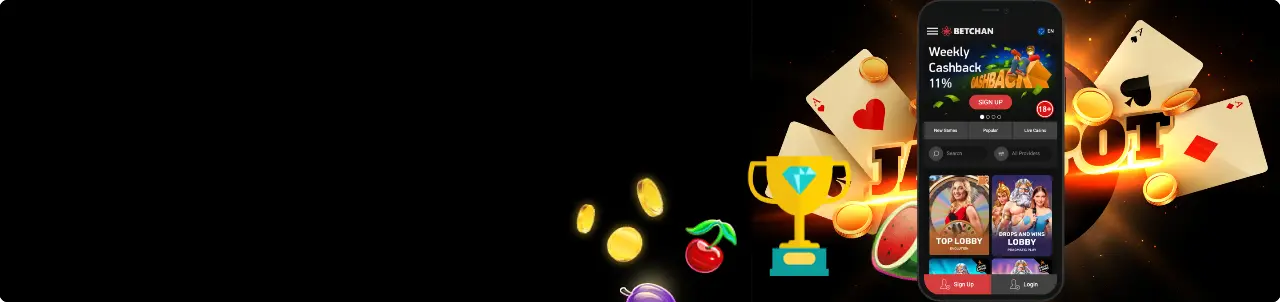
BetChan App
 Download For iOS
  Download For Android
Mobile sessions are where most spins happen now, so the real question isn’t “Is there an app?”—it’s “How smooth is the experience on my phone?”
The BetChan app story is pleasantly simple: the site is built mobile‑first, loads fast on Canadian networks, and behaves like a lightweight app when you add it to your home screen. Here’s how the BetChan Mobile App story looks in 2025 for Canadian players, plus setup tips for iPhone and Android.
Safety note: Avoid pages promising BetChan Download files or installers. There’s no need to fetch anything from third parties—the official path is the mobile site and a one‑tap home‑screen install.
Mobile App for iOS
As of now, there isn’t a native BetChan iOS app in the Canadian App Store. Instead, you get a slick web app that pins to your home screen and opens full‑screen like an app—no heavy updates, no storage bloat.
BetChan Download and Install
Before you begin, here’s a quick install that makes the site launch like a native app:
- Open Safari and go to the official BetChan site.
- Log in or create an account.
- Tap “Install” in the left‑side menu for a one‑step setup.
- Rename it if you like and confirm. You’ll now have an icon you can tap, just like any app. If you see prompts that say Download BetChan app, they refer to this add‑to‑home‑screen shortcut, not a separate installer.
System Requirements
Check these basics to ensure smooth performance and reliable streaming:
- iOS 14 or later is recommended; iOS 15 and newer deliver the best PWA (web-app) performance.
- Safari with cookies and JavaScript enabled.
- Stable LTE/5G or Wi‑Fi connection for live tables and larger slot assets.
Compatible Devices
Devices like the models below deliver a smooth, full‑screen experience:
- iPhone 8 and newer (including SE 2020/2022, X/XS, 11/12/13/14/15 families).
- Recent iPad models (if you prefer the bigger screen; rotation and split-view work well).
BetChan App for Android
There isn’t an official BetChan Android application on Google Play in Canada, but the mobile site installs like an app via Chrome or Samsung Internet. This quick install adds a home‑screen icon, opens in full‑screen, and keeps updates automatic through your browser.
How to Download and Install
Before you begin, here’s a quick install that makes the site launch like a native app:
- Open Chrome and visit the official BetChan site.
- Log in, then look for the Install app or “Add to Home Screen” prompt (you can also open the left side menu to find it).
- Confirm, and an icon appears on your launcher. It opens borderless, caches assets for speed, and supports secure cashier access.
System Requirements of the BetChan Casino App
Check these basics to ensure smooth performance and reliable streaming:
- Android 8.0 or later recommended.
- Chrome 100 and above (or the latest Samsung Internet). Enable cookies/JavaScript.
- Reliable LTE/5G or Wi‑Fi, especially for live‑dealer streams.
Compatible Devices
Devices like the models below deliver a smooth, full‑screen experience:
- Google Pixel, Samsung Galaxy A/S/Flip/Fold lines, OnePlus, Motorola, Nothing Phone, and other modern devices with 3GB or more of RAM.
- Important: There is no official BetChan APK from the operator. Skip third-party files and stick to the add-to-home-screen install.
Mobile Casino Games
The lobby is optimized for thumbs: big tiles, quick categories (“New”, “Popular”, “Live”), and a fast search bar.
On mobile, the BetChan app surfaces hit slots like Gates of Olympus, Big Bass Bonanza, Sugar Rush, and Wild West‑style reels from BGaming and Pragmatic Play, plus table staples (blackjack, roulette, baccarat, poker) and a lively live‑dealer hub.
Performance notes:
- Slots: Load swiftly over LTE/5G, with portrait play and large controls. Many titles include quick‑spin and turbo options for short sessions.
- Table games: RNG blackjack/roulette/poker run smoothly; tap targets are large enough for one‑hand play.
- BetChan Live casino: Full‑screen video, adjustable quality, and stable streams; rotate to landscape for more stats and roadmaps.
Banking on mobile remains fully featured for Canada: Interac, iDebit, Instadebit, ecoPayz, and cards appear in the cashier with the same limits you’d see on desktop. Deposits are instant; withdrawals follow the standard timeframes once your profile is verified.
Sign UpMobile Website Version
Even without a store download, the mobile site feels like a native app. Key touches that matter on the go:
- Speed & stability: Assets are cached after your first visit, so returning sessions pop open quickly. The BetChan app PWA icon launches straight into the lobby.
- One‑thumb navigation: A persistent bottom bar gives you “Search”, “Providers”, “Popular”, “Live”, and your profile/cashier—no hunting through menus.
- Cashier clarity: CAD‑friendly methods, clear limits, and withdrawal timers are presented cleanly. Biometrics (Face ID/Android unlock) can protect access at the device level.
- Notifications: Add‑to‑home users may see gentle prompts for reminders about BetChan Bonuses; you control permissions in your browser settings.
- Responsible play on mobile: Quick access to limits, cool‑offs, and self‑exclusion from the profile area, so you can make smart adjustments mid‑week.
If you’re ever tempted by off-site “installers,” remember: the safest route is the official site plus the add-to-home-screen button—fast, secure, and always up-to-date.
Sign UpFrequently Asked Questions
Is there a native BetChan app I can download from the store?
Can I play live‑dealer games smoothly on mobile?
How do I contact support from my phone?